
For Smart TV (Samsung & LG) / Android (TV/Box/Phone):
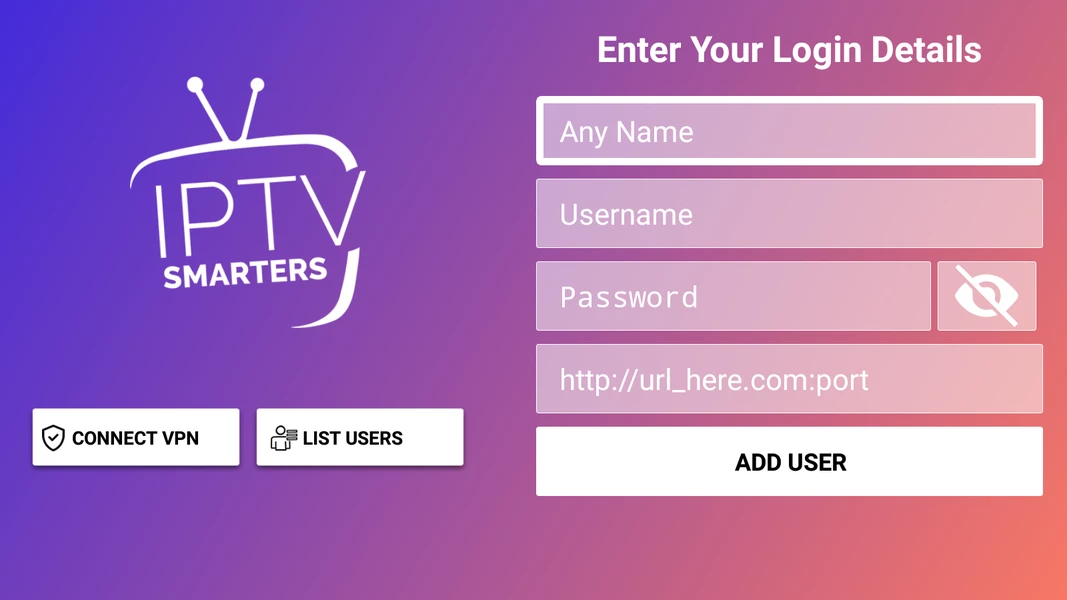
1- Please download the application: IPTV Smarters Pro (select Xtream codes API).
2- Enter your details: name, username, slogan, and URL.
3- ADD user.
I. Installing the Downloader application
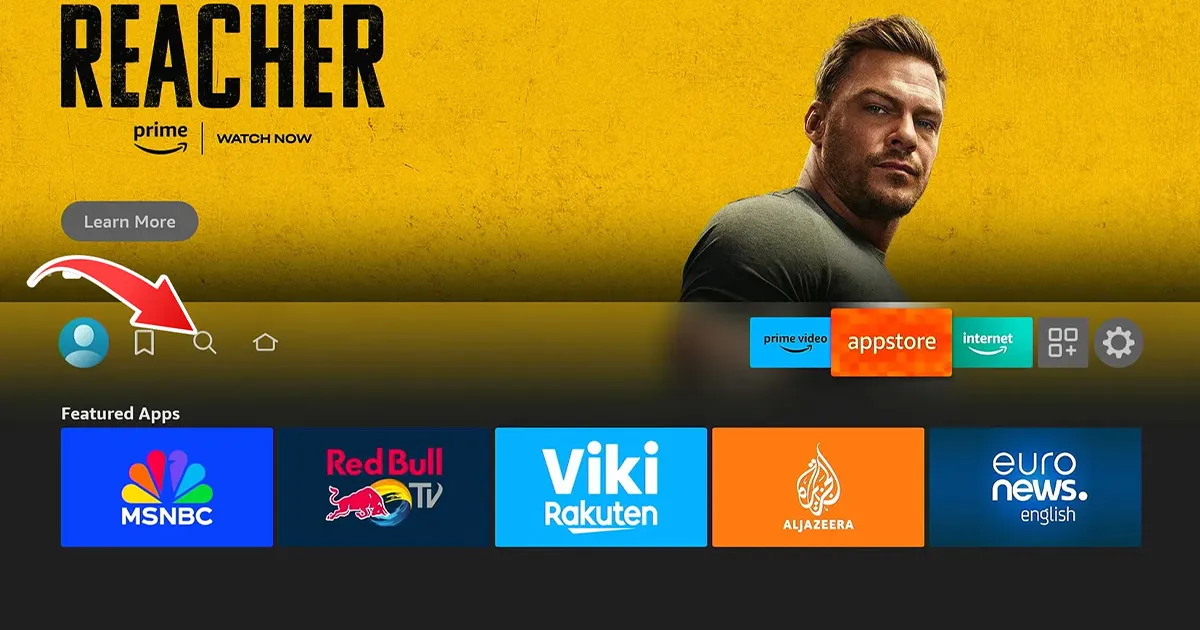
1- On the home screen of your Firestick, go to the (Search) section.
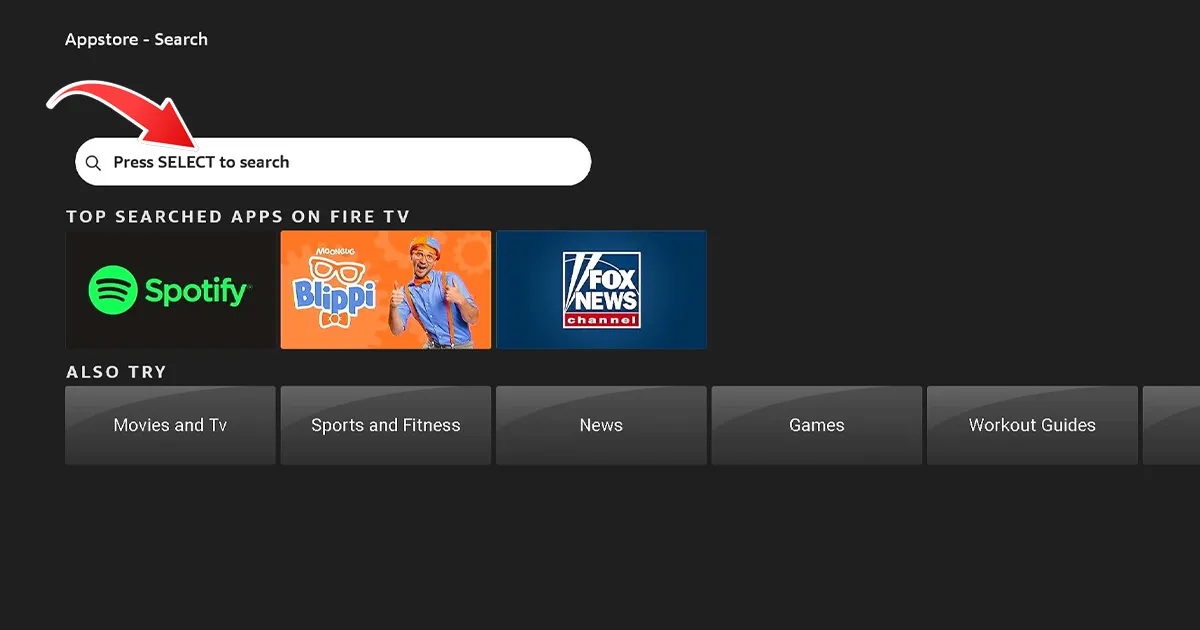
2- Search for "Downloader" and select the application from the list of results.
3- Click on “Downloader” to install Downloader on your Firestick.
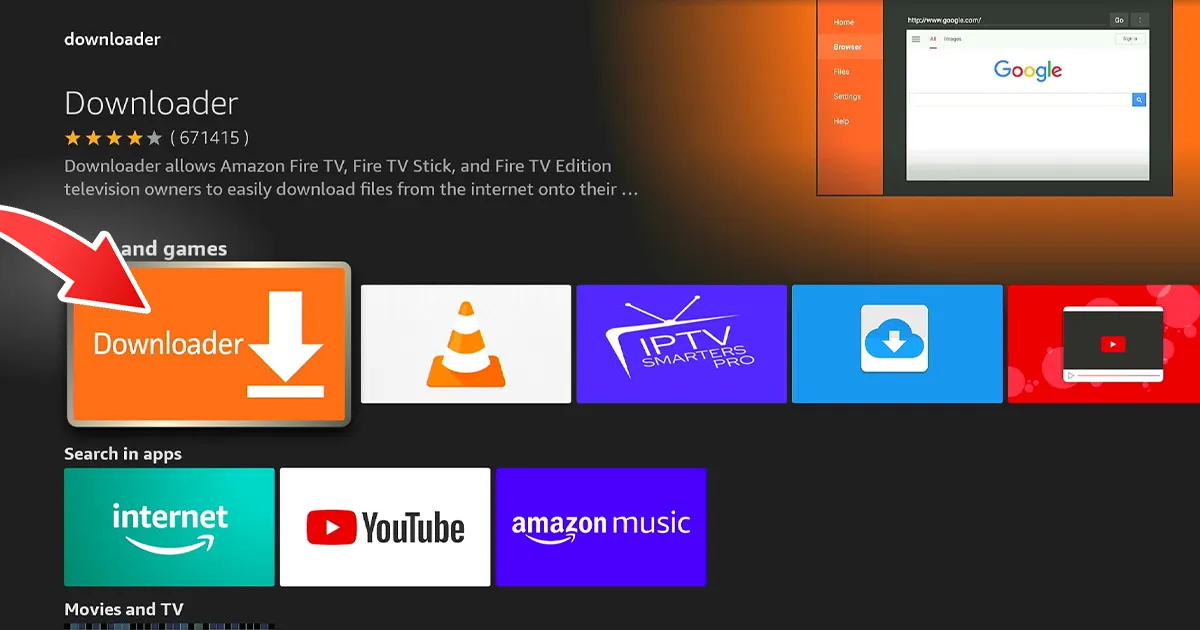
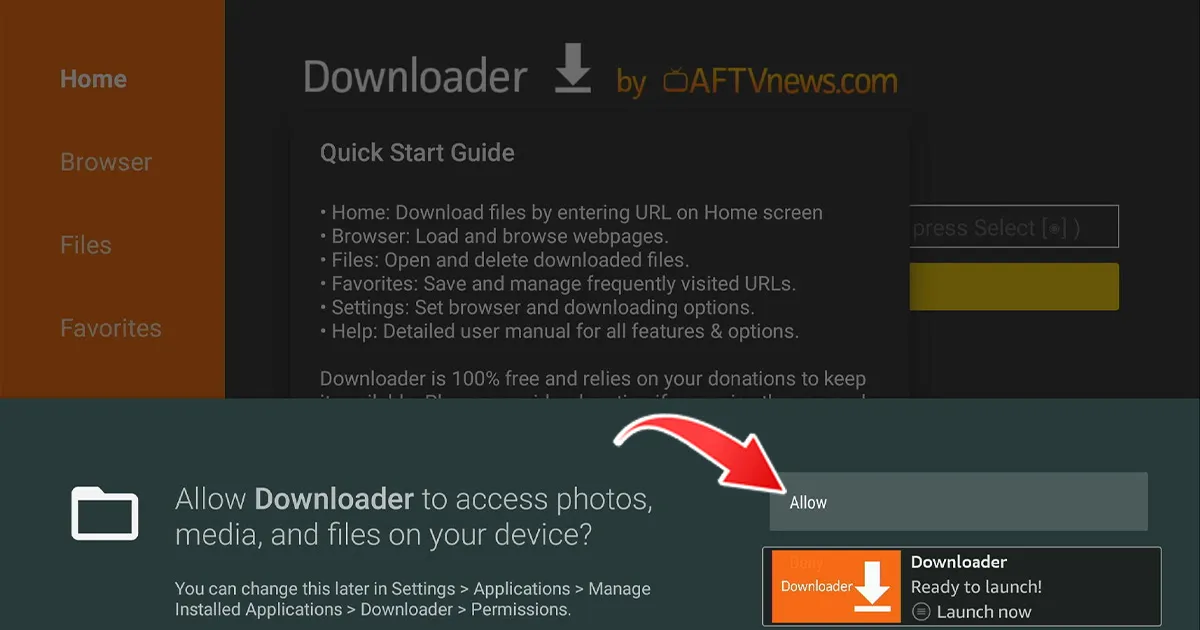
4-Once the installation is complete, return to the home screen.
II. Enable unknown sources
1- Go to (Items) on your Firestick and select "My Fire TV".
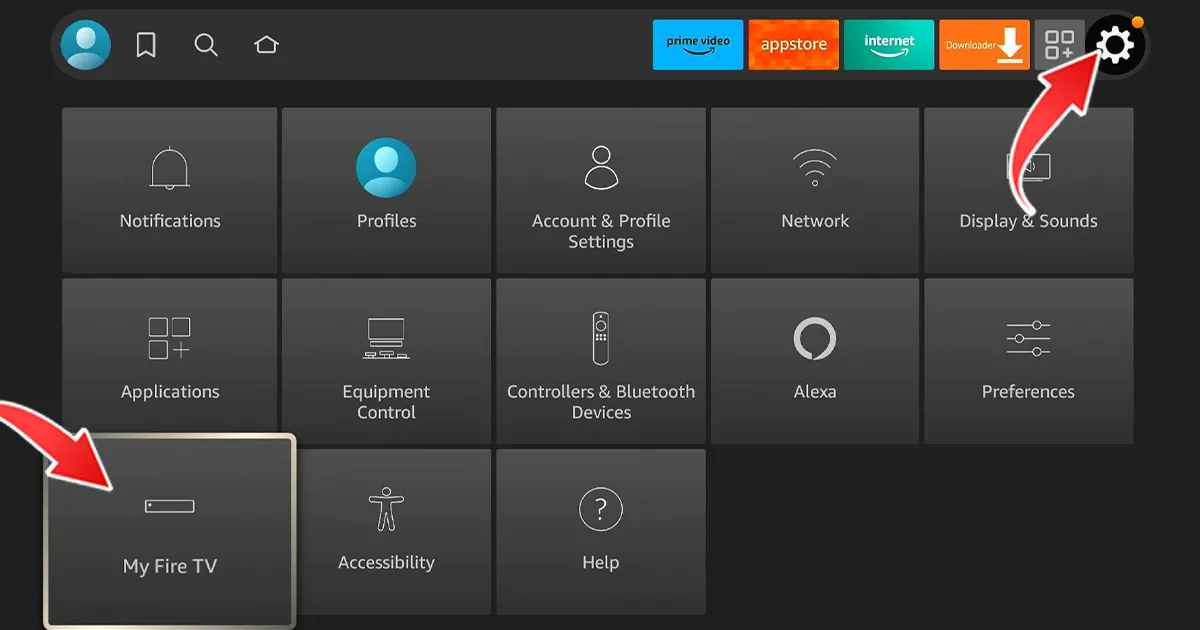
2- Click on (About) and press “Fire TV Stick” seven times to activate “Developer Options”.
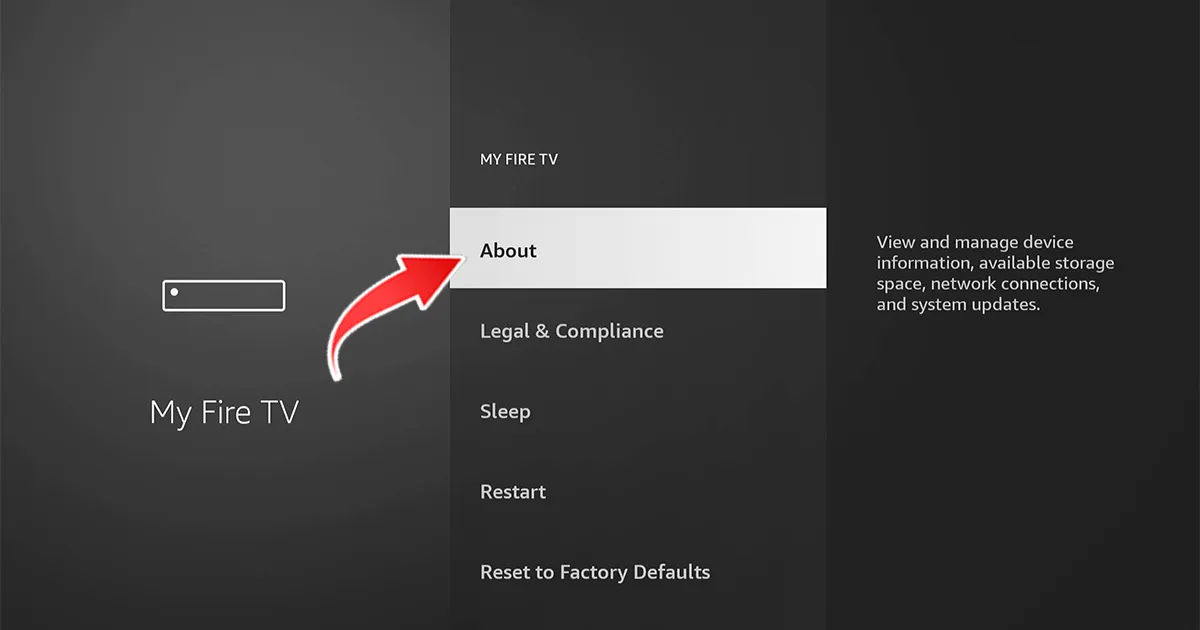
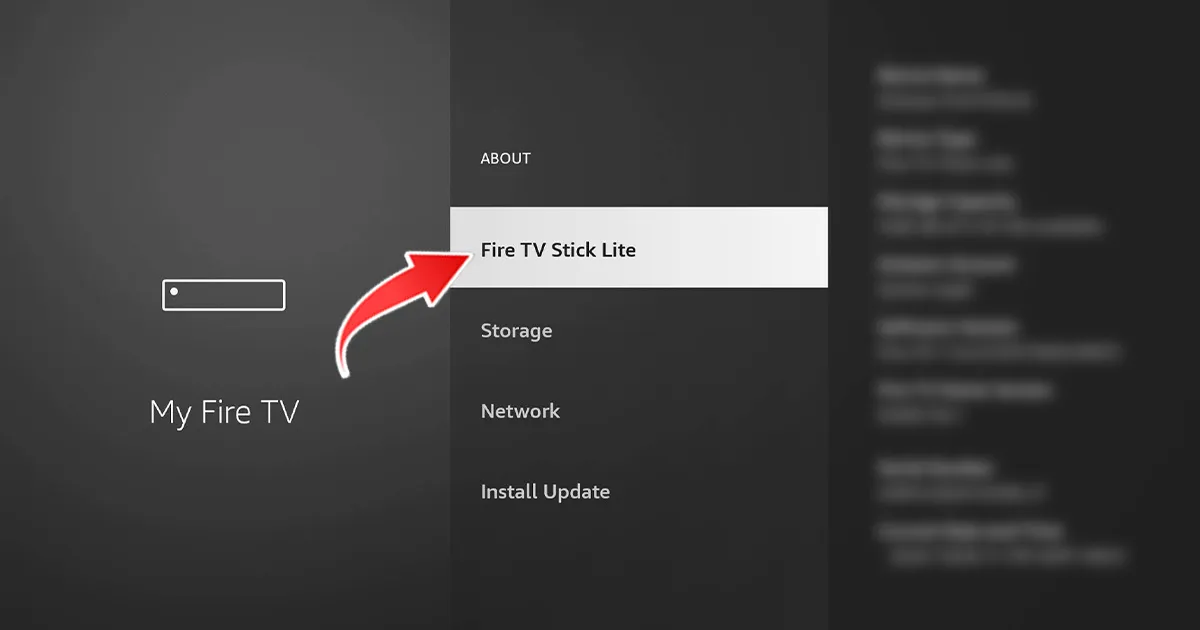
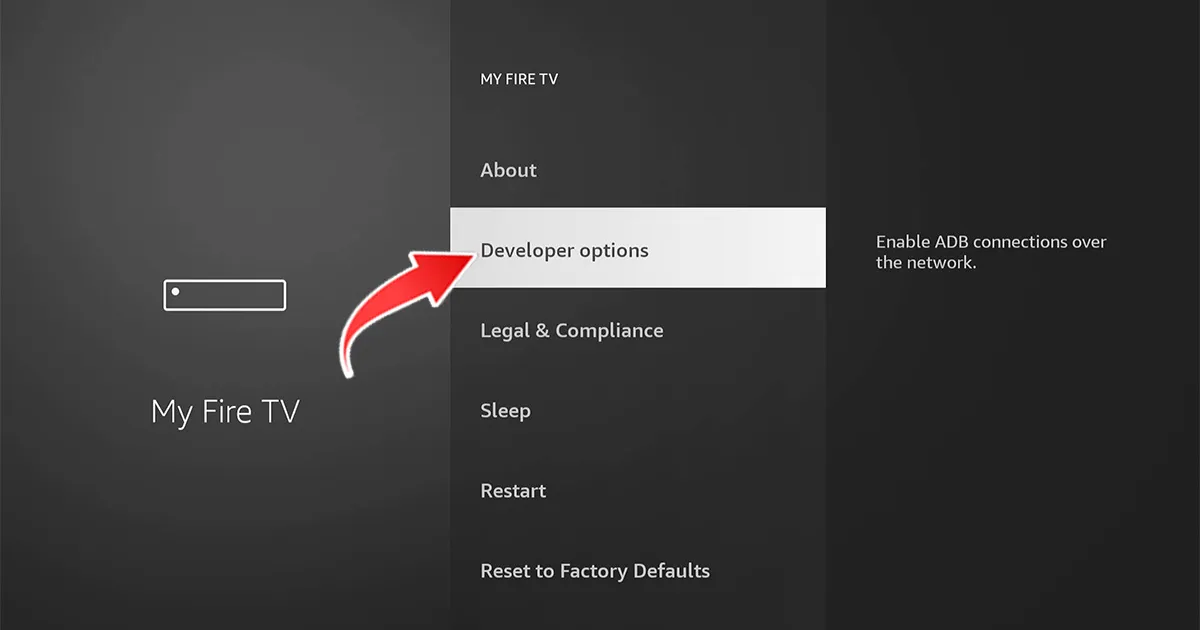
3- Click Back on the remote control and select "Developer options".
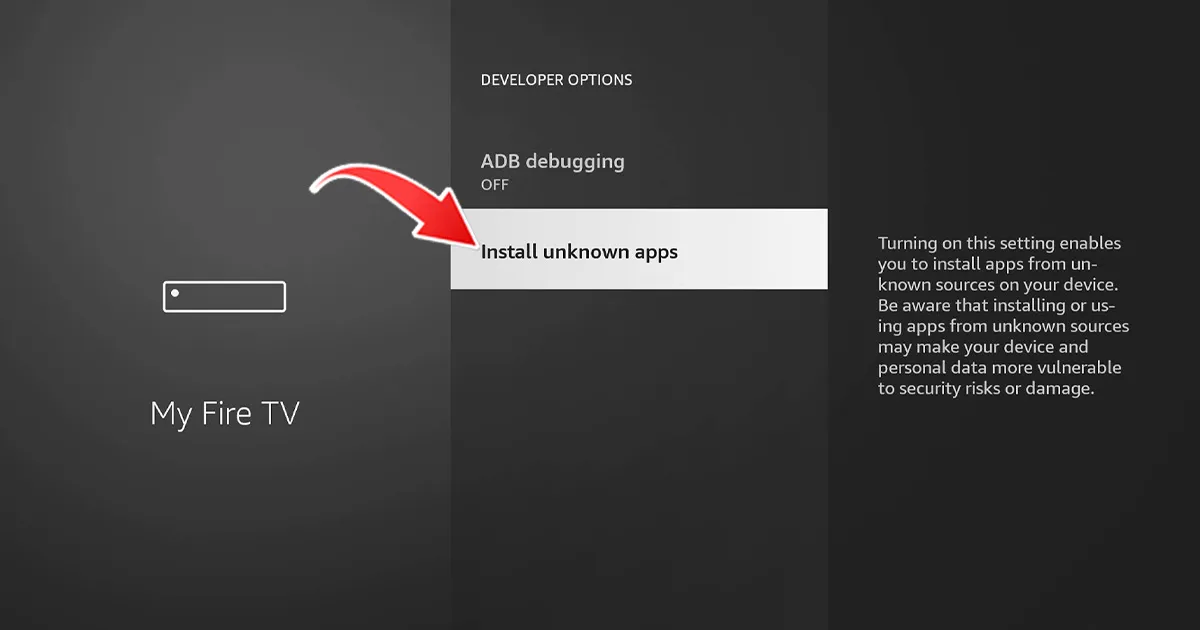
4- Click on "Install unknown apps" (Install apps from unknown sources)
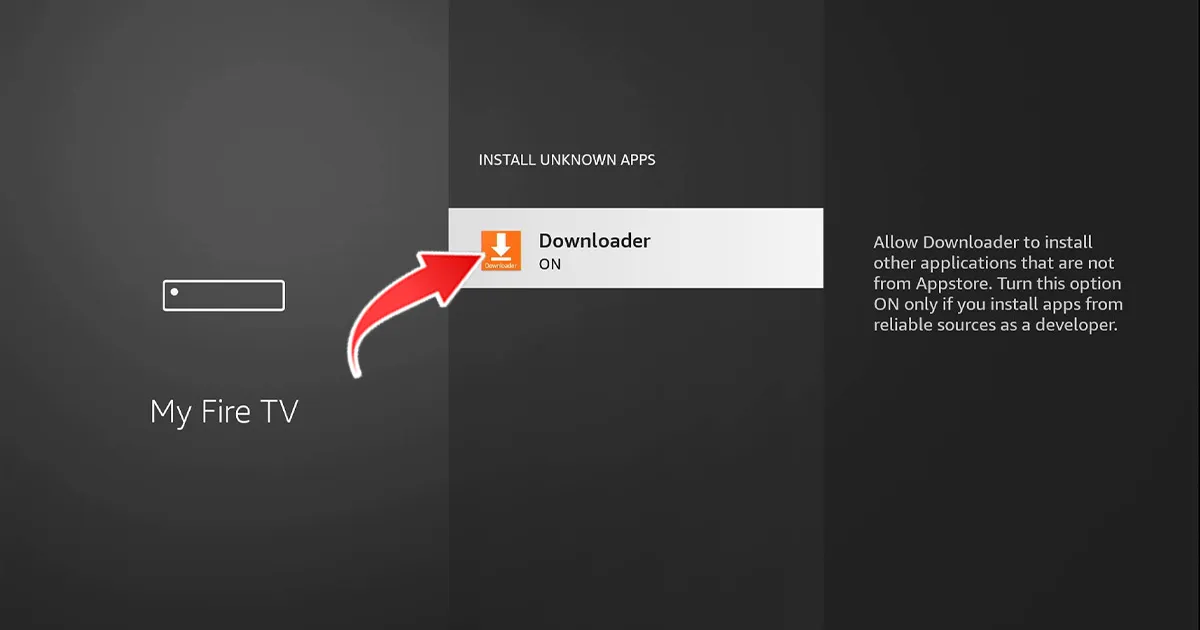
5- Enable unknown sources for the Downloader app.
III. Installing the IBO PRO Player application
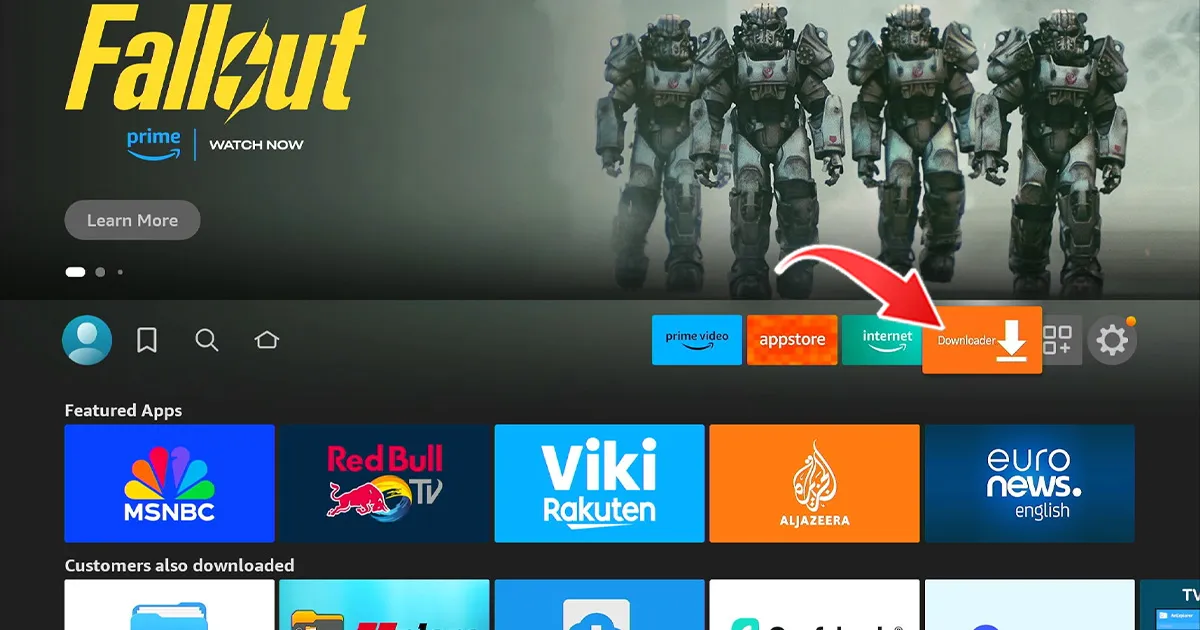
1- Open Downloader and click on the URL field.
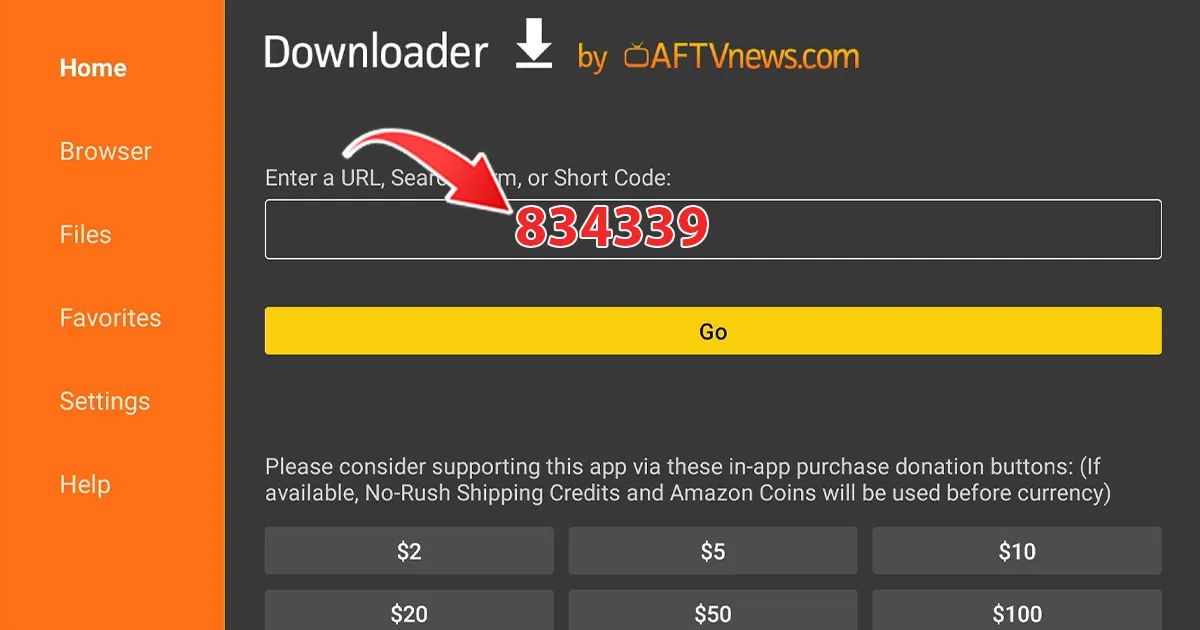
2. Enter code 834339 and then click "Go". The IBO PRO download will start automatically.
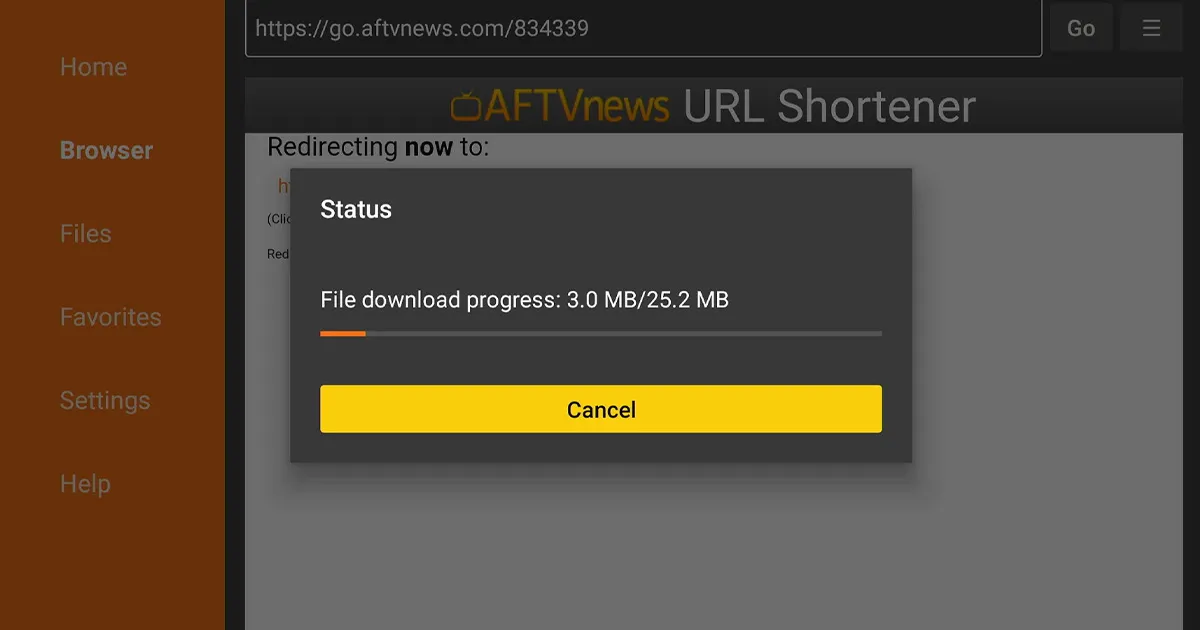
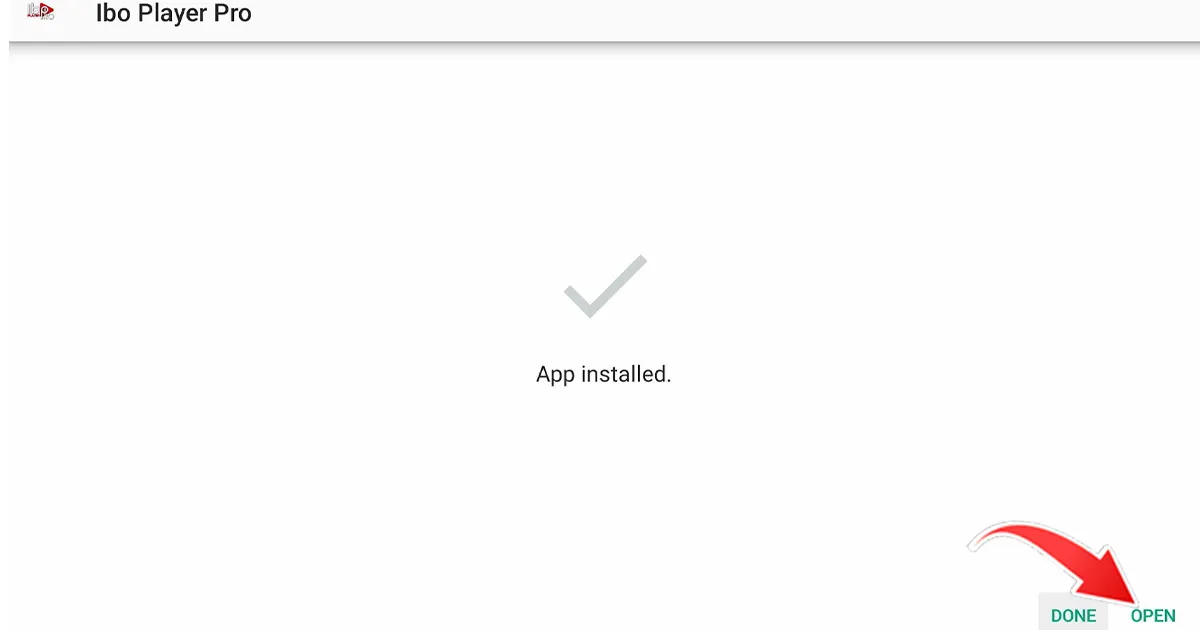
3. The download is complete; click "Install" to install the application.
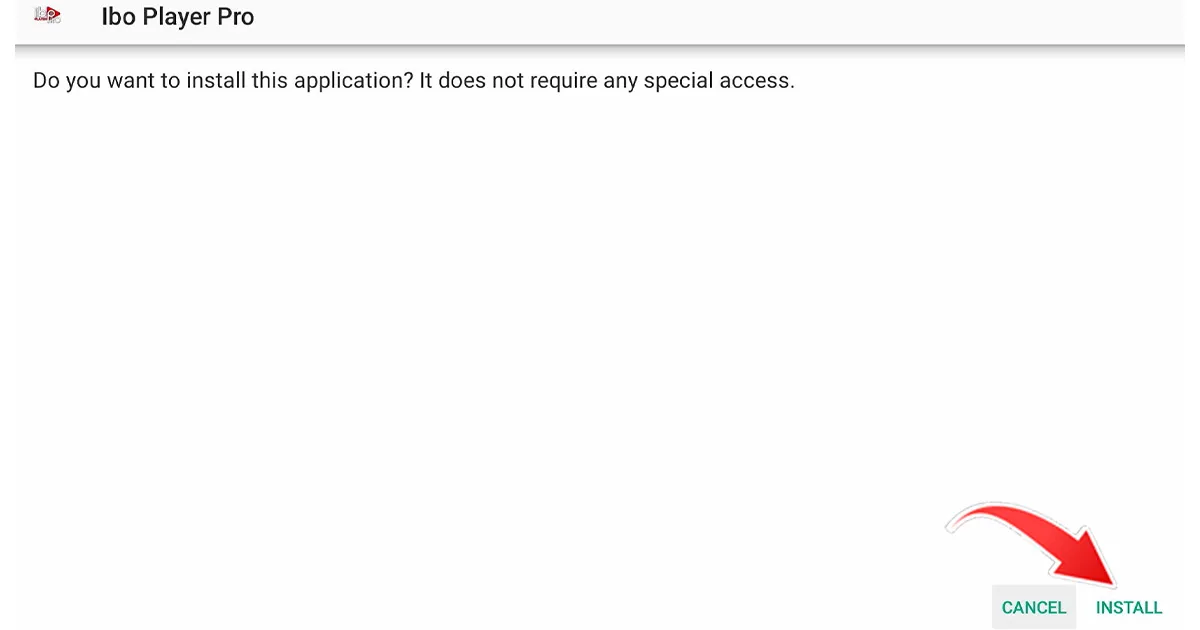
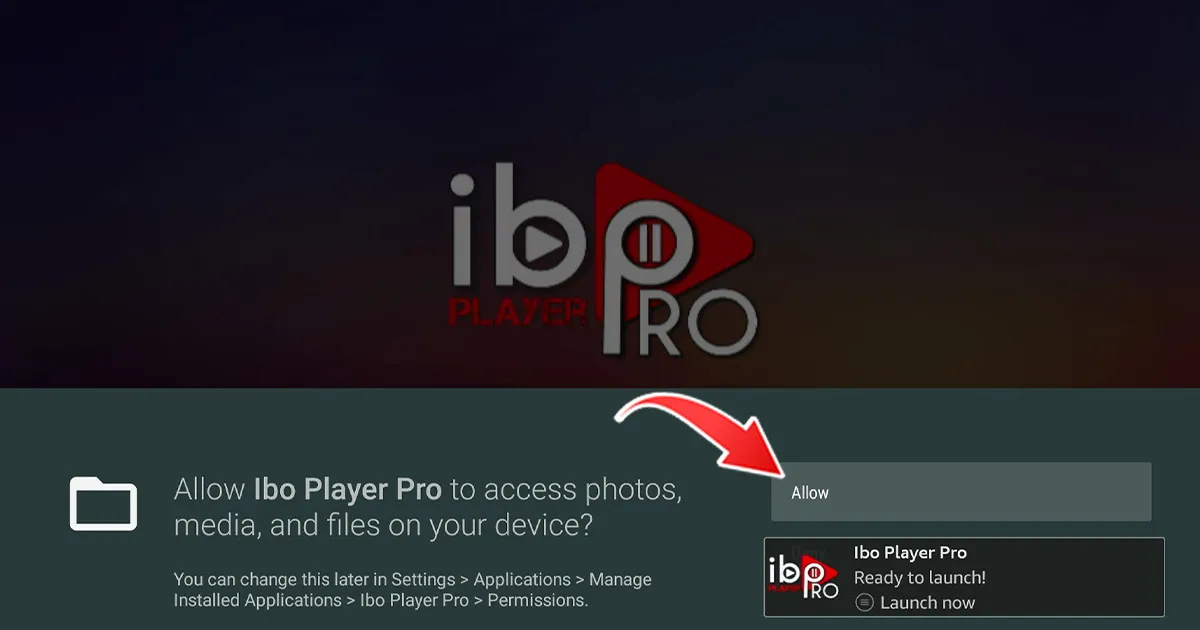
4- When the installation is complete, you will see the message "Ready to start!"
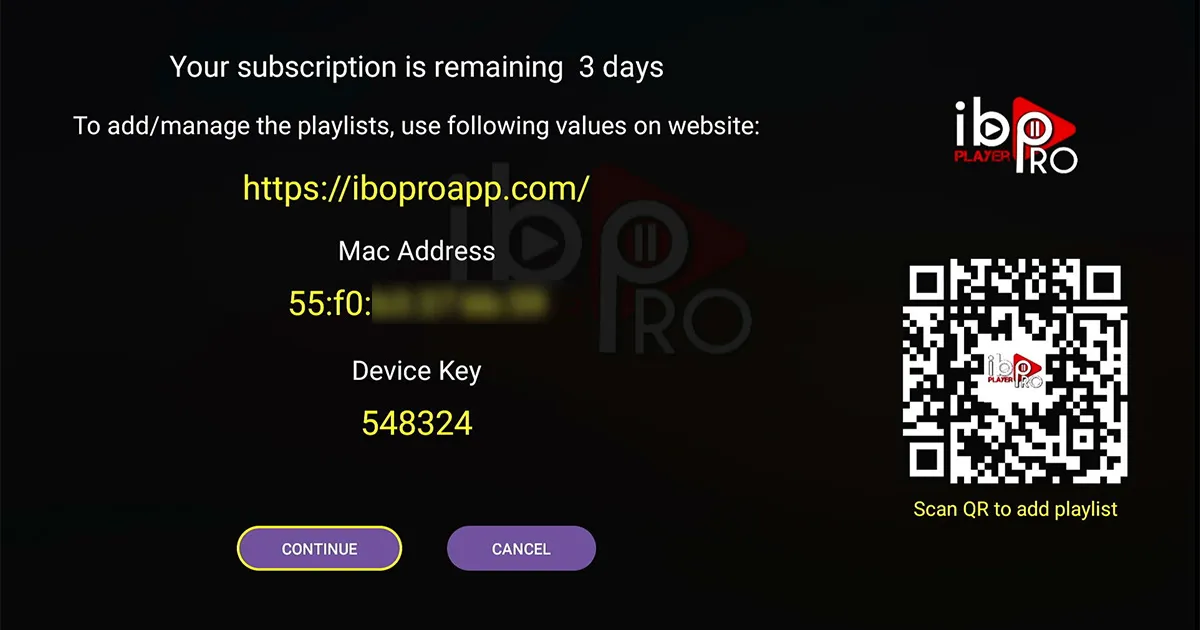
5- Send us the codes displayed in the app "MAC address and key" so that we can automatically install the playlist on your device.
Download the IPTV Smarters Pro software and enter the information about XTREAM CODE:
https://www.iptvsmarters.com/IPTVSmartersPro-Setup-1.1.1.exe
Enter your details: name, username, slogan, and URL. ADD USER.
Please download the app:
1- IPTV Smarters Pro Dev Player (odaberite API for Xtream codes)
or
2- Smart IPTV Xtream Player
Enter your details: name, username, slogan, and URL.
Alternative applications:
If you prefer an alternative application, download one of the following:
IBO Player Pro
IBO Player
Install one of the recommended iOS applications in the settings:
1-GSE IPTV (odaberite Xtream encoders API).
2-IPTV Smarters Lite (odaberite Xtream encoders API).
3-IPTV Smarters Pro (odaberite Xtream encoders API).
After installing one of these applications, enter your details: name, username, password and URL. Then add the user.
How to remove IBO Player Pro:
Download the IBO Player Pro app.
Send us the codes displayed in the app so we can automatically install the playlist on your device. If you have any problems, contact our support team on WhatsApp and they will help you configure your subscription in the chosen app.
To connect the MAG device to your TV and the internet and set it up, follow these steps:
1- Connect the MAG device to the TV and check that it is connected to the internet.
2- Open the device settings by clicking on: Settings -> System settings -> Services -> Portal.
3- Set up Portal 1: IPTV.
4- Enter the URL for Portal 1 (you can find this information in your email).
5- Leave the name for Portal 2 blank.
6- Change all items.
7- Restart the MAG device.
After restarting the device, wait for the channels to appear on the TV screen. If you encounter any problems during this setup process, please feel free to contact our support team on WhatsApp. They will be able to help you set up your subscription on the MAG device.
We have set up all the devices. Just send us a message on WhatsApp and we will set it up with you!